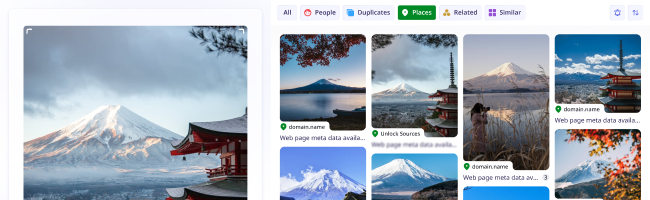
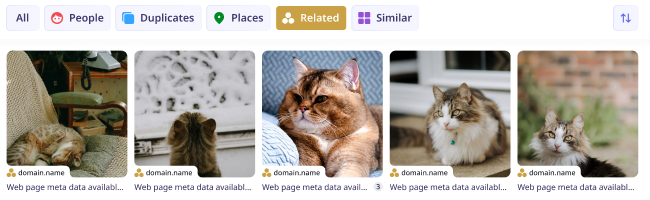
statue

building

place

car

woman

people

dog

similar

shoes

Reverse Image Search with lenso.ai

Find similar images, places, duplicates and more

Find images online with AI image search.

couple

cookies

flower

room

duplicates

man

round cut halo setting diamond ring

by-text
roller

people

dog

cookies

duplicates

place

building

room

similar

round cut halo setting diamond ring

by-text

Search for Pictures Online

The Best Reverse Image Search

Look for inspiration

Get inspired by lenso.ai’s image search! Find clothes, art references, paintings, and more. With reverse image search, it’s possible to discover great ideas, find sources of pictures online, and explore new websites.

categories

Find where your photos are shared

Check where the images you took appear online. Find sources of any photo and discover hundreds of copies of any picture. Sort and filter your results for the most accurate image search.

face recognition

Discover similar pictures

Find thousands of similar photos and discover the best match for any object, person, or location. With reverse image search on the highest level, it’s a piece of cake to search for anything you want in seconds.

duplicates

Find objects, animals, books and more...

Search for animals, plants, food, and many more using lenso.ai’s versatile reverse image search! Discover album covers, movies, books, or even trademarks and logos by searching for a photo with lenso.ai.

easy intuitive

Available in Professional

Research Mode & Advanced Filters

People
Duplicates
Advanced Filters
Research mode result
domain.name

Web page meta data...

Research mode result
domain.name

Web page meta data...

Research mode result
domain.name

Web page meta data...

Research mode result
domain.name

Web page meta data...

Research mode result
domain.name

Web page meta data...

More filters!

10x more results!

Deeper search

10x More Results

With Research Mode, you can get access to 10,000 results for People and Duplicates. That’s 10 times more pages to explore for every search you make!

Search Deeper...

Explore all the results that aren’t displayed in lenso.ai’s normal search. Research mode takes just a few extra seconds to find thousands of results!

People
Duplicates
Advanced Filters
Research mode result
domain.name

Web page meta data...

Research mode result
domain.name

Web page meta data...

Research mode result
domain.name

Web page meta data...

Research mode result
domain.name

Web page meta data...

Research mode result
domain.name

Web page meta data...

More filters!

10x more results!

Deeper search

Advanced Filters

More filtering options with Advanced Filters! Filter by page language, domain, date range, size of the image and keyword in the title of the page. Find photos faster and easier!

  • Language
  • Date range
  • Domain
  • Size
  • Keyword in the title
All about Advanced Filters

Learn more about image search

What is Reverse Image Search?

How does Reverse Image Search work?

Reverse image search allows users to find images online using pictures instead of words. Image Search technology analyzes visual features like shapes, colors, and patterns to find a match for any image online. AI reverse image search relies on deep learning and Content-Based Image Retrieval (CBIR) to match images based on visual similarity, rather than text, making this technology modern, easy to use and extremely efficient. Tools like lenso.ai enhance this by offering specialized search categories (e.g., people, places, duplicates) and features like copyright alerts and advanced facial recognition. Reverse image search is not only powerful and precise, but also safe when used on privacy-conscious platforms like lenso.ai.

What can Reverse Image Search be used for?

Reverse image search can be used for finding similar photos online, finding exact copies of pictures, as well as finding photos in different formats and resolutions. Many users use image search to find out what plant or animal is in the photo they took. Additionally, image search is often used for finding inspiration, like similar clothes, food and recipes and more. It’s especially useful in online shopping. Additionally, many people use facial recognition in image search to find people from a photo.

Reverse Image Search is used by photographers who want to protect their copyright, online artists looking for inspiration, as well as everyday users looking for similar photos online. Moreover, facial recognition technology, like in lenso.ai, can be used to avoid online scams, protect privacy and track digital footprint of any person.

How to reverse image search online?

Reverse Image Search Online is available to everyone who owns a mobile phone, tablet, or computer. To search by image from your browser, visit an image search website like lenso.ai and upload your photo to find similar images, exact copies of any picture or people and places depicted in your image.

To reverse image search:

  1. Visit a reverse image search website like lenso.ai
  2. Upload your image by dragging, pasting, or uploading from your drive
  3. Click on any result you like best
  4. Visit the website or open the image in a new tab


Lenso.ai is mobile-friendly, works on all of the most popular browsers and operating systems.

Reverse Image Search for Mobile and Desktop

Reverse image search is available for Android, iOS, Mac, Windows and Linux. You should use it to find sources of photos online or find similar images, places, people and more.

To search by image:
On desktop: Navigate to your browser - Chrome, Safari, Firefox, or any other - and visit lenso.ai. Upload your image by pasting, dropping, or choosing a photo from your computer. Then, from the top bar, choose the category to make your search precise.
On mobile: Go to your mobile browser and in Google, Yandex, DuckDuckGo or any other search engine, type in “lenso.ai”. Upload your photo by choosing a picture from your gallery or taking a photo with your phone. Choose any category you like - people, places, duplicates, similar or related.


Do you have any concerns?

Frequently Asked Questions

Learn more about AI-powered reverse image search, how lenso.ai works and any other related questions.

*Facial search is available only in selected regions

Blog: Find Out More About Image Search

Learn More About Image Search and Facial Recognition

Explore news, guides and broaden your knowledge in AI, Image Search, Face Search and more.

Read more on our Blog
Continue reading
Image search for investigations: How to find more information from a photo?

Guides

Image search for investigations: How to find more information from a photo?

Sometimes, an image is all we have: no additional information or background history, just a photo or recording. Is that enough to start an investigation? It may not be ideal, but it is enough to perform an image search, which can uncover valuable information and support the investigation. So, how can you find more information from a photo?

Continue reading
Copyright protection for YouTubers: how to find stolen thumbnails and profile photos?

Guides

Copyright protection for YouTubers: how to find stolen thumbnails and profile photos?

YouTube creators sometimes spend hours working on a new video, and the worst thing that can happen is that someone simply steals it, reuses it inappropriately, and the creator receives no credit for it. How can you find stolen content and protect your copyright as part of the YouTube community?

Continue reading
The Visual Toolkit Every Creator Should Actually Bookmark

General

The Visual Toolkit Every Creator Should Actually Bookmark

Assembling a project from someone else's pictures and mismatched icons takes five minutes, but sorting out the legal and visual consequences afterward can take weeks. A good visual workflow starts not with drawing but with two simple questions: Where did this picture come from, and does it fit the style? Below is a compact set of tools that covers both tasks and keeps the project from falling apart into mismatched pieces.

DMCA Assist on Lenso.ai | What is It & How to Use It?

News

DMCA Assist on Lenso.ai | What is It & How to Use It?

DMCA Assist is the newest feature on lenso.ai, created for users who want to remove their digital footprint or copyrighted photos easier and faster. It’s a tool that generates ready-to-paste emails that can be used for requesting DMCA removals on websites where images were found. Keep reading to learn how you can remove your image content from any website with the help of lenso.ai’s DMCA Assist.

24.07.2026

Cheaper alternatives to face search tools

News

Cheaper alternatives to face search tools

Sometimes you want to check where your image appears online or reveal a potential catfish, but you're not ready to spend a fortune on a face search tool. Let's explore some cheaper face search alternatives that are still effective.

23.07.2026